Web analytics
Accurate GA4 and Tag Manager setup, conversion tracking you can trust, and dashboards that show which pages, campaigns and channels lead to enquiries and sales.
Share a few details and our team will call you back within one working day.
Web analytics is the practice of collecting and reading data about how people find and use your website, so decisions rest on evidence. Without it, questions such as which campaign brought last month's enquiries, why visitors abandon the checkout, or whether a redesign helped can only be answered with guesses. With reliable analytics, budgets move toward what works and problems on the site become visible.
The catch is that analytics is only as good as its setup. Many GA4 properties count page views but not enquiries, double-count conversions, mix in staff and spam traffic, or lost their history during a migration. Reports built on that data look precise but mislead. Our work focuses first on making the numbers right, then on making them useful to the people who decide where money and effort go.
We begin with a measurement plan: your business goals, the actions on the site that show progress toward them, and the reports each team needs. Those actions might be form submissions, phone and WhatsApp clicks, quote requests, sign-ups, add-to-cart and purchases. Each one is defined as a GA4 event with clear naming, and the important ones are marked as key events so they can be compared across channels.
Implementation is done through Google Tag Manager wherever possible, so tracking can change without editing site code each time. For online stores we configure the full GA4 ecommerce data layer. We link GA4 with Google Ads, Search Console and, where needed, BigQuery, apply consent mode, filter internal traffic and test every tag before it goes live. Existing setups get an audit report listing what is broken and the order in which to fix it.

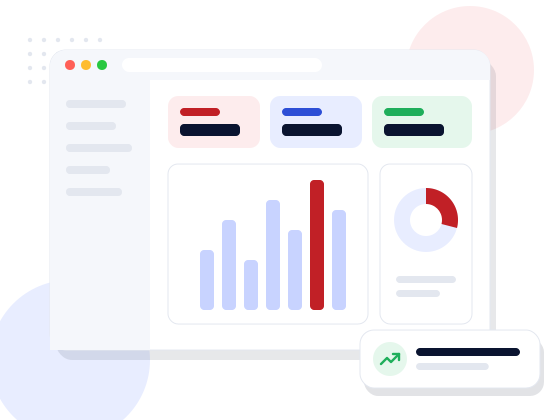
Data is only useful if the right people look at it. We build Looker Studio dashboards for owners, marketing teams and sales, each showing the handful of numbers that matter to that reader: enquiries by channel, cost per enquiry, top landing pages, funnel drop-offs or revenue by product. Dashboards refresh automatically, so nobody waits for a monthly spreadsheet, and each one includes short notes explaining what the numbers mean and what to watch.
Analytics is never perfect. Ad blockers, cookie consent choices, cross-device journeys and offline sales all leave gaps, and we explain those limits openly instead of presenting figures as exact. Where it helps, we combine website data with CRM records so you can follow a lead from the first click to a closed sale and judge each channel on revenue, not just on form fills.

We are developers as well as marketers, which matters when tracking needs a data layer, a server-side tag or a change to a checkout template. We do the technical work ourselves and document it, so your team knows what each tag does and why. Properties and accounts stay in your name, and we can train your staff to read reports and make simple changes on their own.
Tracking also needs care after launch. Website updates, new forms, plugin changes and platform updates can quietly break tags. We offer periodic health checks that compare key events against expected levels, flag sudden drops, and fix problems before they distort a month of reporting. That way the dashboards your team relies on stay trustworthy as the site, campaigns and team grow.
What we deliver
Marketing measured by enquiries and sales, with reporting you can actually read.
Goals, key events and reports defined before any tag is added.
Clean properties, data streams, filters and retention settings.
Organised containers with clearly named tags, triggers and variables.
Forms, calls, WhatsApp, sign-ups and purchases tracked as key events.
Product views, cart, checkout and purchase data for online stores.
Consent mode and cookie banners set up with privacy in mind.
Looker Studio reports built for owners, marketing and sales.
A prioritised list of what is broken in an existing setup.
Who it’s for
Every project starts from your process, not a template. These are typical situations we are asked to solve.
Discuss your requirementHow we work
Goals, current setup and reporting needs reviewed.
A written measurement plan of events and reports.
GA4, Tag Manager and integrations set up and tested.
Dashboards built for each audience.
Team training and regular checks as the site changes.
Technology
We pick the stack for your project, your team and your budget — not the other way round.
FAQ
Straight answers to what clients usually ask first.
Having the code installed is not the same as tracking what matters. Many setups miss conversions, double-count events or include internal traffic. An audit shows whether your data can be trusted before you base decisions on it.
It depends on how many actions need tracking, whether e-commerce or cross-domain tracking is involved, the number of dashboards, and integrations with ad platforms or a CRM. We quote after a short review of your site and current setup.
A simple business site takes far less time than a store with a complex checkout or several domains. We give a timeline in the proposal once the measurement plan is agreed.
The data sits in your own Google accounts. We configure consent mode, avoid sending personal details such as names or phone numbers into analytics, and can align the setup with your privacy policy.
Yes. We can pass lead source details into your CRM and, where useful, send closed sales back to Google Ads, so you can see which campaigns bring paying customers.
Yes. Dashboards are designed for the people who read them, and we offer a training session plus documentation of every tag and event.
Speak directly with our technical architects. We provide actionable tech recommendations, architecture planning, and transparent timelines — with zero obligation.