Security management
Keep your organisation's security work in one system: risk assessments, policies, access controls, incident response, staff awareness training and audits, each with an owner, a deadline and a record.
Share a few details and our team will call you back within one working day.
Security management software gives a company one place to plan, run and check its security programme. In many organisations the risk register sits in a spreadsheet, policies in shared folders, access approvals in email threads and incident notes in someone's notebook. When an auditor, a client or the board asks how security is managed, the answer has to be pieced together. A single system makes the work visible and shows what is done, what is overdue and who is responsible.
Our software is built around practical, flexible steps that a team can understand and follow. It records security risks and the controls that address them, holds approved policies and procedures, tracks who has access to which systems, logs incidents from first report to closure, schedules staff training and manages internal audits. It supports your security team's process. It does not replace technical tools such as firewalls or antivirus, and it does not by itself make an organisation certified or compliant with any standard.
The risk assessment module lets you list assets, identify threats and weaknesses, score likelihood and impact, and assign treatment actions with owners and target dates. The policy module stores security policies and procedures with version history, review dates and staff acknowledgements. The access control module records requests and approvals for applications and data, and schedules periodic reviews so access is removed when people change roles or leave.
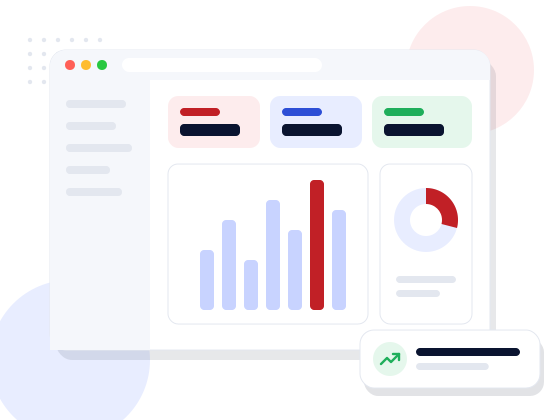
The incident module captures reports from any employee, routes them to the right responder, and tracks containment, investigation, corrective action and closure according to the incident response plan you define. The training module assigns awareness courses or reading, records completion and sends reminders. The audit module plans internal audits, holds checklists, records findings and follows each finding until it is closed. Dashboards bring all of this together for management.
The software suits IT and software companies, banks and finance firms, hospitals, educational institutions, manufacturers and service businesses that hold customer data or depend on their systems running. Security and IT teams use it to manage the programme day to day, department heads respond to the actions assigned to them, and management uses dashboards to see open risks and overdue items. Facility teams can report physical security incidents through the same reporting form.
The main improvement is accountability. Every risk, finding and incident has an owner and a due date, reminders go out automatically, and the history shows what was decided and when. Answering a client security questionnaire or preparing for an external audit becomes a matter of pulling records rather than collecting them from many people at the last minute. Repeated problems also become visible, so the same incident is less likely to happen twice.
We apply the same thinking to how we build software. Security steps are part of every stage of our development cycle: requirements include access rules, design reviews look at how data flows, code is reviewed, and testing includes common security checks before release. This matters for a tool that holds sensitive details about your weaknesses and incidents, so access inside the system is role-based and every change is logged.
You can start from our ready security management modules and have us adapt the risk scoring, workflows, forms and reports, or ask for a custom build that connects with your HR system, ticketing tool or user directory. Web Ultra Solution is an ISO 9001:2015 certified company in Noida with more than ten years of custom software work. Ask for a demo. You own the code and data, and we support the system after launch.
Features
Ready modules configured for your business, or built custom where your process needs it.
Asset-based risk register with likelihood, impact, owners and treatment plans.
Versioned policies and procedures with review dates and staff acknowledgement.
Access requests, approvals and scheduled reviews for each system.
Report, assign, investigate and close incidents following your defined plan.
Assign security training, track completion and send reminders.
Audit plans, checklists, findings and corrective action tracking.
Open risks, overdue actions and incident trends for management.
Every change recorded with user and time.
Who it’s for
Every project starts from your process, not a template. These are typical situations we are asked to solve.
Discuss your requirementHow we work
A walkthrough of the software against your day-to-day process.
Modules, roles, formats and approvals set up for your business.
Masters and opening data moved from spreadsheets or old software.
Hands-on training for admins and users, with simple guides.
Hosting, backups, updates and enhancements after go-live.
Technology
We pick the stack for your project, your team and your budget — not the other way round.
FAQ
Straight answers to what clients usually ask first.
No. It manages the people and process side of security: risks, policies, access approvals, incidents, training and audits. It works alongside your technical security tools.
Software alone cannot make an organisation compliant or certified. It helps you organise the records and evidence your team produces, and we can shape forms and reports around the framework you follow.
Cost depends on the modules you choose, how much the workflows and risk scoring need customising, integrations with HR, ticketing or directory systems, the number of users and the hosting arrangement. We quote after a requirement study.
It depends on scope and how much existing material, such as risk registers and policies, needs to be imported. A timeline is included in our proposal.
Yes. Many organisations prefer to keep security records in-house, and we can install the system on your servers or a private cloud you control.
Access is role-based, so incident and risk details can be limited to named people, and every change is logged with the user and time.
Speak directly with our technical architects. We provide actionable tech recommendations, architecture planning, and transparent timelines — with zero obligation.