Project management
Plan projects, assign tasks, log work hours, handle support tickets and keep discussions in one place, with reports that show managers where every project actually stands.
Share a few details and our team will call you back within one working day.
Project management software gives everyone on a project the same view of what needs to be done, who is doing it and by when. Without it, tasks live in email threads, chat groups and personal notebooks, deadlines slip quietly, and managers find out about problems only when a client complains. A shared system turns each project into a list of tasks with owners, priorities, due dates and estimated hours, and records progress as work is done.
The same idea applies to production and operations work. In manufacturing, keeping materials, capacity, manpower and time in line avoids bottlenecks, and that depends on engineering, operations and management sharing up-to-date information. A project system gives those departments one place to log issues and upcoming changes, so the shop floor hears about them in time. Managers can then plan capacity with facts instead of estimates.
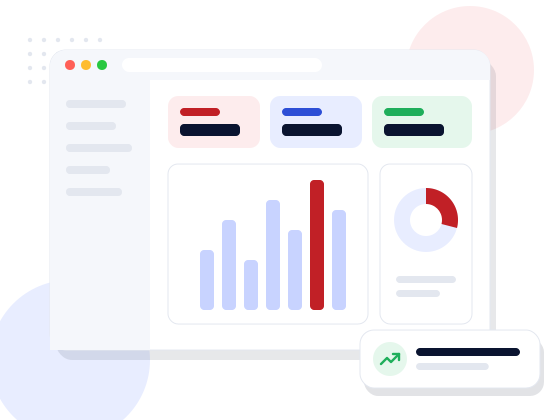
Our ready system is organised around projects, tasks, tickets and discussions, with reports and user management alongside. Each project has a description, type, status and team, plus key dates such as review brief, design, development, site testing and user acceptance, along with links to the live and test versions where relevant. Every task, ticket and discussion is linked back to its project, so the history stays in one place.
Lists can be filtered by status, searched and sorted, and bulk actions save time when closing or reassigning many items. A configurable dashboard lets each user pin the projects, tasks and tickets they care about. Configuration screens control the application name and logo, default time zone, email notifications, LDAP sign-in, the login page and new user creation. Each user has a profile with a language preference, which helps when teams work in different languages.
Every team runs projects slightly differently, so we customise the ready system rather than asking you to change. Common additions include milestones and sub-projects, timesheets with approval by managers or clients, budgets and change orders, expense tracking, invoices raised from logged hours, file sharing and calendar sync. We can also give clients a login to follow progress and approve work online.
The system can carry your company's logo and colours, and integrations with accounting software, email or a CRM can be added through APIs. If your workflow is very specific, such as construction stages or production job cards, we build those screens as custom modules on the same base. A mobile-friendly layout lets team members update tasks and log hours from a site or on the move.
Web Ultra Solution is an ISO 9001:2015 certified software company in Noida with more than ten years of building business systems for clients in India and abroad. You can ask for a demo with sample projects, then decide which modules to keep, change or add. During the consultation we look at how your team plans and tracks work today, and suggest the simplest setup that closes the gaps.
You own the code and data delivered to you, and NDAs are available on request. We can host the system with backups or install it on your own server, train project managers and team members, and keep adding features as your projects and teams grow. Support also covers bug fixes and changes when your workflow evolves. Ask for a demo whenever you are ready.
Features
Ready modules configured for your business, or built custom where your process needs it.
Assign tasks with priority, due date and estimated hours, and see who is overloaded.
Log actual hours against tasks and compare them with estimates.
Route support or change requests to the right department and track them to closure.
Keep comments and decisions with the project instead of scattered across chats.
Record brief, design, development, testing and UAT dates for each project.
Filter by status, assignee or project to see only the work that matters to you.
Progress, workload and time reports for managers and clients.
Admin, manager, team member and client roles, with optional LDAP sign-in.
Screens
Sample screens. Every installation is configured for the client’s own process and branding.
 Project management system dashboard with configurable panels for projects, tasks and tickets
 Projects list filtered by open status with type, creator and creation date columns
 Tasks list showing group, priority, status, assignee, estimated time, work hours and due date
 Tickets list with status filter and department, type and project columns
 Project detail page with comments and milestone dates for review brief, design, development, site test and UAT
 General configuration screen with application name, logo, email options, LDAP and login page settings
Who it’s for
Every project starts from your process, not a template. These are typical situations we are asked to solve.
Discuss your requirementHow we work
A walkthrough of the software against your day-to-day process.
Modules, roles, formats and approvals set up for your business.
Masters and opening data moved from spreadsheets or old software.
Hands-on training for admins and users, with simple guides.
Hosting, backups, updates and enhancements after go-live.
Technology
We pick the stack for your project, your team and your budget — not the other way round.
FAQ
Straight answers to what clients usually ask first.
Cost depends on how close your needs are to the ready modules, custom workflows such as timesheet approvals or client billing, integrations, the number of users and hosting. We list each item in the proposal after a short requirement call.
Subscription tools suit many teams. A custom system makes sense when per-user fees grow large, your workflow does not fit their structure, or you need project data on your own server and linked to your other systems. We will advise honestly in the consultation.
Yes. Client logins can be set to show only their own projects, tickets and reports, and can include approval of timesheets or deliverables if you need that.
Yes, through APIs where those systems allow it. Common links are a CRM, so that won deals become projects, and accounting, so that invoices can be raised from logged hours.
It depends on the changes you need and on data migration from existing tools. We give a timeline in the proposal.
Access is controlled by role, logins can use your company LDAP directory, and backups are scheduled. You choose between your own server and hosting managed by us.
Speak directly with our technical architects. We provide actionable tech recommendations, architecture planning, and transparent timelines — with zero obligation.